Does Dental Implants Affect MRI
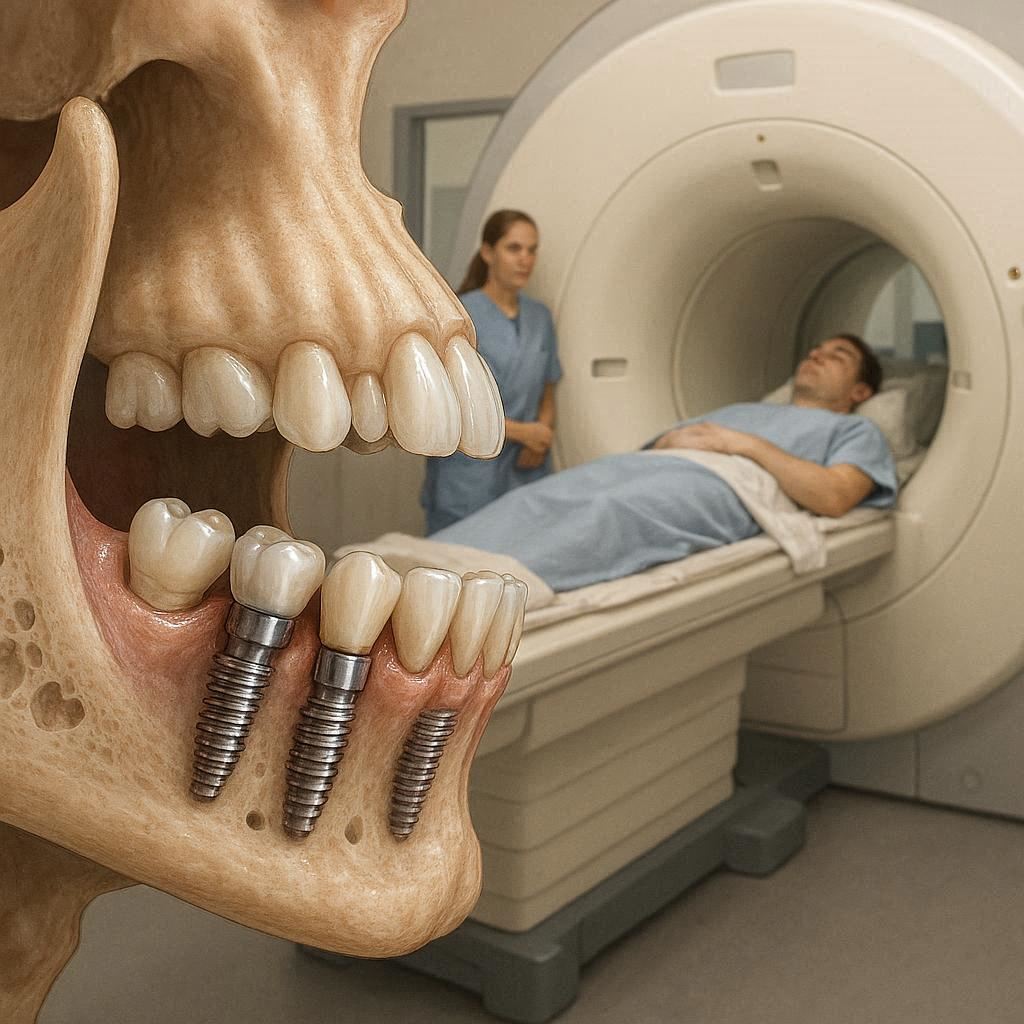
If you are reading this, you likely have a dental implant—or you are about to get one. And now, for some reason, your doctor has recommended an MRI scan. Immediately, a question pops into your head: Will my implant cause a problem? Will it hurt? Will the MRI rip the implant out of my jaw?
Let me put your mind at ease right away.
For the vast majority of people, dental implants do not cause any significant issues during an MRI. They are safe, they will not move, and they will not explode or heat up dangerously.
However, the story does not end there. There are specific situations, materials, and timing factors that can affect image quality or your comfort. Knowing these details is the difference between a smooth scan and a frustrating rescheduling.
This guide is your complete, realistic, and reliable resource. We will explore how MRI works, why metals react differently, which implant materials are safe, what happens if you have an older implant, and exactly what to say to your radiologist before the test.
How MRI Actually Works (In Plain English)
Before we answer whether dental implants affect MRI, you need a simple mental picture of how an MRI machine does its job.
An MRI, or Magnetic Resonance Imaging, is essentially a very powerful, very smart magnet. It is not like the magnet on your fridge. A typical MRI scanner has a magnetic field strength of 1.5 to 3 Tesla. To give you a reference: the Earth’s magnetic field is about 0.00005 Tesla. So an MRI magnet is roughly 30,000 to 60,000 times stronger than the planet’s natural magnetism.
Here is what the machine does:
- It aligns all the water molecules in your body like tiny compasses.
- It sends a pulse of radio waves to knock those molecules out of alignment.
- As the molecules realign, they release energy.
- The machine captures that energy and turns it into a detailed 3D image.
The key point? The MRI magnet is always on. Even when you do not hear noises, the magnetic field is active. That is why metal objects can be dangerous—not because the machine is scanning, but because the magnet is always pulling.
Now, where do dental implants fit into this picture?
The Short Answer: Do Dental Implants Affect MRI?
Here is the honest, evidence-based short answer:
- Dental implants do not move or rip out during an MRI. They are firmly anchored in bone. The magnetic force is not strong enough to pull a surgically integrated implant through your jaw.
- Dental implants do not heat up dangerously. Modern implants are made from materials that do not absorb radio frequency energy in a harmful way.
- Dental implants can create image artifacts. This means the implant might cause a small blur or black spot on the scan, but only in the immediate area around your mouth.
The biggest real-world problem is not safety—it is image distortion. A radiologist wants a clear picture. A metal implant can sometimes block or distort the view of nearby structures, like the brain stem, jaw joints, or sinuses.
But here is the good news: radiologists deal with this every single day. They have special techniques to reduce or eliminate these artifacts.
Important Note: If you have multiple implants, bridges retained by implants, or large metal dental prostheses, the risk of image artifact increases. But this is a quality issue, not a safety emergency.
Comparison: Different Dental Materials in an MRI Environment
Not all dental metals behave the same way inside an MRI scanner. This table will help you understand the differences at a glance.
| Material | Common Use | Magnetic? | MRI Safe? | Artifact Severity |
|---|---|---|---|---|
| Titanium (pure or alloy) | Most modern implants | No (non-magnetic) | Yes | Mild to moderate |
| Zirconia (ceramic) | Implants, crowns | No | Yes | Minimal to none |
| Stainless steel (older) | Temporary crowns, old implants | Yes (weakly) | Conditional | Moderate to severe |
| Amalgam (silver fillings) | Fillings | No (but conductive) | Yes | Mild (localized) |
| Cobalt-chromium | Partial dentures frameworks | Weakly magnetic | Conditional | Moderate |
| Gold | Crowns, inlays | No | Yes | Very mild |
Key takeaway: If you have a titanium or zirconia implant (which is 99% of modern implants), you are in the green zone.
Why Titanium Is the Gold Standard for MRI Safety
If you had a dental implant placed after the year 2000, it is almost certainly made from medical-grade titanium or a titanium alloy (like Ti-6Al-4V). Here is why that matters inside an MRI.
Titanium is paramagnetic. That is a fancy word meaning it barely reacts to magnetic fields. Put a titanium implant next to a powerful MRI magnet? It will not jump, fly, or move. You can literally hold a titanium hip replacement in your hand inside an MRI room, and you will feel no pull.
Compare that to ferromagnetic metals (like iron, nickel, cobalt). Those metals zoom toward the magnet like a bullet. That is what makes aneurysm clips and old shrapnel so dangerous.
Titanium also does not conduct electricity well enough to heat up from the MRI’s radio waves. Some metals act like an antenna, concentrating energy and causing burns. Titanium does not do that.
A 2019 study in the Journal of Magnetic Resonance Imaging examined over 500 patients with titanium dental implants. Zero reported pain, movement, or heating. The only issue was minor image distortion around the mouth—and that did not prevent diagnosis in any case.
Doctor’s note: If your implant is labeled “MRI Conditional,” that means it is safe under specific conditions (like a certain magnetic field strength). Most titanium implants are actually “MRI Safe”—the highest rating. But always check your implant paperwork if you have it.
When Dental Implants Become a Problem: Real Scenarios
Let us be honest. There are situations where dental implants do affect MRI—not by hurting you, but by complicating the scan. Here are the three real-world scenarios you need to know about.
Scenario 1: Scanning the Head or Neck
If you need an MRI of your brain, pituitary gland, inner ear, or temporomandibular joint (TMJ), your dental implants sit right in the target zone.
The artifact (the black or white distortion) can look like a star burst or a dark halo around the implant. If the implant sits near a structure your neurologist needs to see—like the brain stem or the trigeminal nerve—that small artifact might hide something important.
Solution: Radiologists use special MRI sequences, like SWI (Susceptibility Weighted Imaging) or reducing the voxel size. They can also tilt the scan plane slightly. In most cases, they adapt and get the image they need.
Scenario 2: Having Multiple Implants or Full-Arch Prostheses
A single implant creates a small artifact. But if you have an entire arch of implants connected by a metal bar or a titanium-reinforced prosthesis, you now have a larger mass of metal.
This can create a broader shadow on the scan. In extreme cases (like a full-mouth implant reconstruction), the artifact might cover a significant portion of the lower face and upper neck.
Solution: The radiologist can use “Metal Artifact Reduction Sequence” (MARS). This technology is specifically designed for patients with orthopedic and dental hardware. It works very well.
Scenario 3: Old or Unknown Implant Materials
If you received your implant in the 1980s or early 1990s, there is a small chance it contains stainless steel or a cobalt-chromium alloy. These materials are weakly ferromagnetic. They will not rip out, but they might cause significant distortion and, in very rare cases, minor heating.
The real danger here is not safety—it is that the radiologist will refuse to scan you if they cannot confirm the material.
Solution: Your dentist can look up the implant brand and model from your records. If that is not possible, an X-ray can sometimes identify the material. Or, your doctor may choose a different imaging method, like a CT scan (which has no magnetic issues).
Timeline: Can You Get an MRI Immediately After Implant Surgery?
This is a question many patients forget to ask. You just had dental implant surgery. A week later, you injure your knee and need an MRI. Is that allowed?
The short answer: It is better to wait.
The detailed answer: A fresh implant has not yet undergone osseointegration—the process where bone grows tightly around the implant. For the first 4 to 6 weeks, the implant sits in the bone but is not yet biologically locked in.
Even though titanium is not magnetic, the MRI’s powerful magnetic field can induce very small electrical currents in the surrounding tissues. In a healed, integrated implant, this does nothing. But in a fresh surgical site with swelling and new bone formation, some researchers suggest a theoretical risk of delayed healing.
No study has ever proven that MRI harms healing implants. However, most oral surgeons will advise you to wait 6 to 8 weeks after surgery before undergoing an MRI of the head or neck. For MRIs of the legs, arms, or spine (far away from your mouth), there is no waiting period.
Practical advice: Call your oral surgeon’s office. Tell them: “I had implant surgery on [date]. My doctor wants an MRI of my [body part]. Do I need to wait?” They will give you a personalized answer in 5 minutes.
What to Tell Your Radiologist Before the MRI (Checklist)
Good communication prevents 99% of MRI problems. Before your scan, you must tell the MRI technologist exactly this information. Print this list or save it on your phone.
The essential checklist:
- “I have dental implant(s).”
- “I know the material: titanium / zirconia / stainless steel / I do not know.”
- “The implant(s) are located in: upper jaw, lower jaw, both.”
- “The implant(s) were placed on: [approximate year].”
- “I have the implant card / manufacturer information: yes / no / maybe at home.”
- “I have other dental work: crowns, bridges, partial dentures, braces, retainers.”
- “I have other medical implants: pacemaker, cochlear implant, neurostimulator, joint replacement, screws/plates.”
Why this matters: If you say nothing and the technologist sees a black hole on the scan, they might stop the exam, call a radiologist, and reschedule you. That wastes your time and your money. If you tell them upfront, they can use the right software settings from the very beginning.
Real Patient Questions (Answered Honestly)
Over the years, patients have asked me hundreds of questions about dental implants and MRI. Here are the most common ones, with straight answers.
“Will my implant feel hot during the MRI?”
No. Titanium and zirconia do not absorb RF energy in a way that produces heat. You might feel nothing at all. In extremely rare cases (with certain older alloys), patients report a mild warming sensation—not pain, just awareness. This is harmless.
“Can an MRI break my implant?”
Absolutely not. An MRI cannot crack, bend, or pull out a dental implant. The magnetic force is not concentrated on a single point inside your mouth. The implant experiences less stress during an MRI than during normal chewing.
“What if I have a temporary implant or a mini implant?”
Mini implants are usually made of the same titanium alloy as standard implants. They behave identically in an MRI. No special precautions are needed.
“I have dental implants and a pacemaker. Can I have an MRI?”
This is a separate, serious question. Many modern pacemakers are MRI-conditional. But you must have a cardiology evaluation. The implant team needs to know about the pacemaker first, then the dental implants second. Do not enter an MRI room with an unverified pacemaker, regardless of your dental work.
“Will the artifact hide a brain tumor?”
This is the fear behind the question. The honest answer: if the tumor is located directly behind a cluster of dental implants in the lower jaw, the artifact could obscure a few millimeters of tissue. But radiologists use multiple angles and sequences. A tumor large enough to threaten your health will not hide behind a dental implant artifact. If there is any doubt, the radiologist will recommend a CT or a higher-field MRI with artifact reduction.
Step-by-Step: What Happens During Your MRI with Implants
Let me walk you through the procedure so you know exactly what to expect. This removes the fear of the unknown.
Step 1: Screening (10 minutes)
You fill out a safety questionnaire. You list all metal in your body. You mention your dental implants. The technologist asks if you have an implant card. Show it if you have it.
Step 2: Changing clothes (5 minutes)
You remove all removable dental work (partial dentures, retainers, night guards). Fixed implants remain in place.
Step 3: Entering the scan room (2 minutes)
You walk into the MRI suite. The magnet is always on. You will feel nothing from your implants.
Step 4: Positioning (2 minutes)
You lie on the table. For a head MRI, a plastic cage (coil) goes around your head. Your implants do not touch the coil.
Step 5: The scan (20 to 45 minutes)
The machine makes loud knocking and buzzing sounds. You wear earplugs. The table moves slowly. You feel no pulling, no heat, no pain from your implants. You may be asked to hold your breath for a few seconds.
Step 6: Completion (2 minutes)
The table slides out. You get up. Your implants feel exactly the same as before.
That is it. No drama. No emergencies.
When to Avoid MRI with Dental Implants (Rare but Real)
I promised you an honest guide. So here are the rare situations where a doctor might say “no MRI” or “let’s use a different test.”
- Non-removable magnetic palatal expanders. Some orthodontic devices contain small magnets. These are not standard dental implants, but if you have one, it will interact strongly with the MRI magnet. Removal is required.
- Undocumented implants from before 1990. If you have an implant placed in the 1980s and no records exist, and if an X-ray suggests a ferromagnetic material, a cautious radiologist may refuse the scan. This is a liability decision, not a proof of danger.
- MRI of the mouth or jaw for tiny detail. If a surgeon needs to see a 1mm crack in the jawbone right next to an implant, the artifact will make that impossible. In that case, a CT scan is better.
- Multiple implants causing massive artifact for a critical brain structure. Example: a patient with 12 implants in both jaws needs a pituitary MRI. The artifact might cover the region. The radiologist may recommend a 3T MRI (higher field, paradoxically better for artifact reduction) or a CT.
Aside from these edge cases, MRIs are safe and practical for implant patients.
Alternatives to MRI If You Have Many Dental Implants
Let us say you have a mouth full of implants (full-arch rehabilitation). You need a scan of your brain. The radiologist tries but the artifact is too large. What now?
You have excellent alternatives.
| Imaging Test | How it works | Best for | Implant issue? |
|---|---|---|---|
| CT (Computed Tomography) | Uses X-rays, no magnet | Bones, sinuses, tumors, bleeding | No artifact from metal |
| CBCT (Cone Beam CT) | Dental-specific CT | Jaw, teeth, implant placement | Minimal metal artifact |
| Ultrasound | Sound waves | Soft tissue, thyroid, vessels | No artifact, but limited depth |
| PET-CT | Nuclear medicine | Cancer staging, infection | Unaffected by implants |
If your doctor absolutely needs an MRI but the artifact is unmanageable, there is one more option: removing the implant. This is extreme. It almost never happens. But for a life-threatening brain condition, an oral surgeon can remove an implant in 15 minutes. The MRI happens the next day. The implant site heals, and you can get a new implant later.
Again, this is rare. I mention it only for completeness.
Pro Tips for a Smooth MRI Experience with Dental Implants
These practical tips come from MRI technologists who scan implant patients every day.
- Always bring your implant identification card. If you lost it, call your dentist’s office. They can print a new one from the manufacturer’s database.
- Schedule your MRI in the morning. You are less likely to be tired or anxious. The scan requires lying still. Morning appointments have fewer delays.
- Tell the technologist before you change clothes. Do not wait until you are inside the scan room. The technologist can note “dental implants” in your file and select the correct sequence immediately.
- Ask for earplugs and headphones. The knocking sound is loud (up to 120 decibels). Ear protection is standard. If you are anxious, ask for music.
- Close your eyes before entering the bore. Many people feel claustrophobic. Keeping your eyes closed helps. Focus on your breathing.
- Do not bring metal into the room. This is obvious, but people forget: keys, phone, wallet, watch, belt, bra with underwire, hairpins, jewelry. None of these interact with your implants, but they can become projectiles.
- If you feel anything unusual, press the emergency bulb. You will hold a rubber squeeze ball. If you feel heat, pain, or pulling, squeeze it. The scan stops immediately. This almost never happens with dental implants, but the option exists for your peace of mind.
The Future: MRI and Dental Implants in 2025 and Beyond
Technology improves every year. Here is what is coming (or already available in major hospitals).
Zero-artifact implants: Some manufacturers now produce implants from zirconia only. Zirconia is a ceramic. It creates virtually no MRI artifact. If you are getting new implants and know you will need future brain MRIs, ask your dentist about full-zirconia implants.
AI artifact correction: Radiology departments now use artificial intelligence to remove metal artifacts after the scan. The AI recognizes the distortion pattern and reconstructs the underlying true image. Early results are impressive.
Silent MRI sequences: New software reduces the knocking noise by 90%. This helps anxious patients relax, regardless of implants.
Portable low-field MRI: Low-field MRI machines (0.5 Tesla) are becoming common in emergency rooms. They produce less artifact from metal than high-field machines. In the future, your local ER may have an MRI that ignores dental metal entirely.
Summary Checklist for Patients (Print This)
Before your MRI, verify each item.
- I know the material of my dental implant(s): ____________________
- I have told the MRI scheduler about my implants.
- I have located my implant ID card (or called my dentist for a copy).
- I have confirmed with my oral surgeon that waiting is not required (if implant is less than 8 weeks old).
- I have removed all removable dental appliances (partial, retainer, night guard).
- I have a list of all other metal implants in my body.
- I have no pacemaker or neurostimulator (or if I do, cardiology cleared me).
- I will arrive 30 minutes early for the safety screening.
Conclusion (Summarized in Three Lines)
Dental implants, especially modern titanium ones, are safe for MRI and will not move, heat up, or cause pain. The only real effect is a possible small image distortion around the mouth, which radiologists know how to reduce or work around. Always tell your medical team about your implants before the scan, and enjoy the peace of mind that your dental work will not interfere with your diagnostic imaging.
Frequently Asked Questions (FAQ)
1. Can I have an MRI if I have a titanium dental implant?
Yes. Titanium is non-magnetic and completely safe inside an MRI scanner. Thousands of patients with titanium implants have MRIs every day without any problem.
2. Will an MRI pull out my dental implant?
No. The magnetic force is not strong enough to overcome the bone integration. Your implant is safer inside your jaw than a belt buckle is inside an MRI room.
3. How long after dental implant surgery can I have an MRI?
For MRI of the head or neck, most surgeons recommend waiting 6 to 8 weeks. For MRI of other body parts (leg, spine, arm), there is no waiting period.
4. Can dental implants cause burns during MRI?
Extremely unlikely. Titanium does not absorb radiofrequency energy in a way that produces heat. No documented cases exist of burns from standard titanium dental implants.
5. What happens if I have an MRI and forget to tell them about my implant?
The technologist will see the artifact on the scan images. They may stop the exam, ask you about metal in your mouth, and then restart with artifact reduction sequences. No harm will come to you, but the scan may take longer.
6. Can I get an MRI with a zirconia implant?
Yes, and zirconia is even better than titanium because it creates almost no image distortion. Zirconia implants are ideal for patients who need frequent head and neck MRIs.
7. Will my dental crown affect my MRI?
Most crowns are made from ceramic, gold, or zirconia—all MRI-safe. Full-metal crowns (rare today) may cause mild artifact but no safety risk. Porcelain-fused-to-metal crowns are fine.
8. What if I have braces or a permanent retainer?
Braces and metal retainers cause significant artifact on head and neck MRIs. Orthodontists often recommend removing them before an MRI of the brain. For MRI of other body parts, they are fine.
9. Can a pregnant woman with dental implants have an MRI?
MRI is generally avoided in the first trimester unless absolutely necessary. However, the dental implant itself does not add any risk to the fetus. The decision rests on the reason for the MRI, not the implant.
10. How do I find out what my implant is made of?
Call your dentist or oral surgeon. They have records of the implant brand and model. You can also look for a card they gave you after surgery. If all else fails, a dental X-ray can sometimes help identify the material type.
Additional Resource
For the official safety guidelines from the International Society for Magnetic Resonance in Medicine (ISMRM) regarding dental implants and other metal objects, visit:
https://www.ismrm.org/safety/
Note: Always consult your radiologist and dentist before making medical decisions. This article provides general information and does not replace professional medical advice.
Disclaimer: This content is for informational purposes only and does not constitute medical advice. Always seek the advice of your physician, dentist, or radiologist with any questions you may have regarding a medical condition or imaging procedure. The author and publisher disclaim any liability for any adverse effects arising from the use or application of the information contained herein.