Dental Office Organization Ideas: A Clutter-Free Practice Runs Better
An organized dental office is a more efficient dental office. When supplies are where they should be, staff spend less time searching and more time caring for patients. When files are organized, the front desk runs smoothly. When the workspace is clutter-free, everyone feels calmer. This article offers practical dental office organization ideas that you can implement without a large budget.
Why Organization Matters
Disorganization costs time and money.
Problems caused by poor organization:
- Staff waste time searching for supplies.
- Patients wait longer.
- Important documents get lost.
- Clutter increases stress.
- The office looks unprofessional.
A place for everything and everything in its place. This simple principle transforms a dental office.
Supply Organization
Supplies are the backbone of a dental practice. Organize them well.
Operatory supply organization:
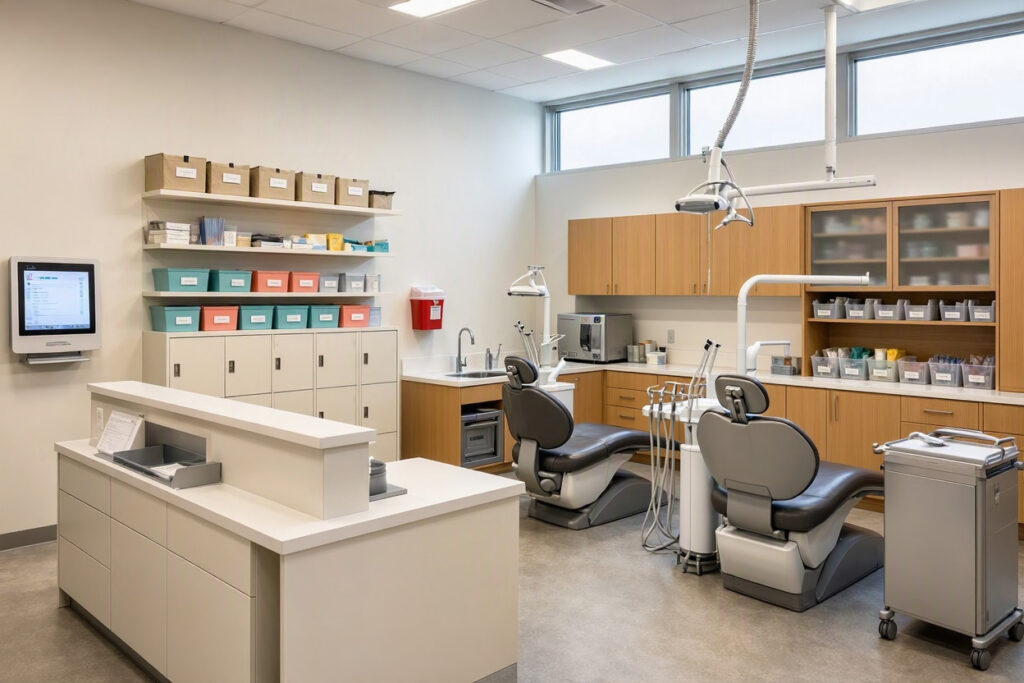
- Use drawer dividers for small instruments.
- Label every drawer and cabinet clearly.
- Keep only daily-use supplies in the operatory.
- Store bulk supplies in a separate storage room.
- Use clear bins so staff can see what is inside.
Sterilization area organization:
- Use a two-sided counter (dirty in, clean out).
- Label storage for sterile packs.
- Keep instrument cassettes organized by procedure type.
- Use color-coded bins for different instrument categories.
Table: Supply Storage Solutions
| Supply Type | Storage Solution | Location |
|---|---|---|
| Daily-use instruments | Drawer dividers in operatory | Operatory |
| Bulk supplies | Closed cabinets | Storage room |
| Sterile packs | Labeled bins | Sterilization area |
| Office supplies | Labeled drawers | Reception desk |
| Patient forms | Wall-mounted folder | Reception area |
Front Desk Organization
The front desk is the command center of your practice. Keep it organized.
- Clear the counter: Only keep essentials on the desk (computer, phone, card reader).
- Use drawer organizers: Dividers for pens, paper clips, and sticky notes.
- Label files: Use a consistent naming system for patient files and office documents.
- Create a “to-do” tray: One tray for incoming paperwork, one for outgoing.
- Digital filing: Scan and store documents digitally to reduce paper clutter.
Note: Keep patient information private. Do not leave files or screens visible to patients.
Operatory Organization
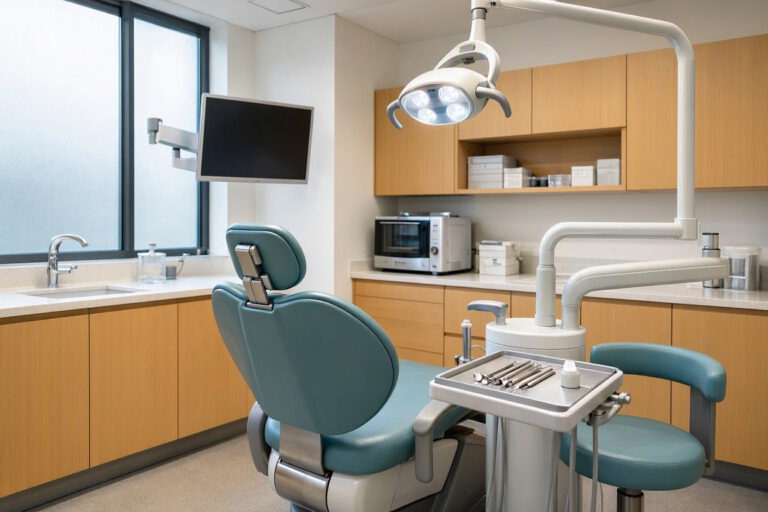
An organized operatory speeds up procedures and reduces stress.
- Standardize setup: Every operatory should have the same layout and supplies.
- Use a checklist: Post a daily setup and breakdown checklist.
- Label cabinets: Clearly label where each item belongs.
- Minimize clutter: Remove items not needed for daily procedures.
- Cable management: Use clips and ties to keep cords organized.
Waiting Room and Reception Organization
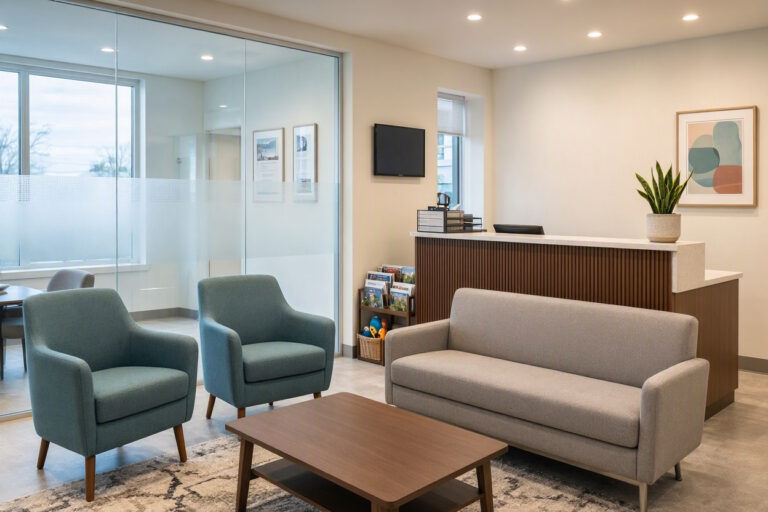
The waiting area should feel calm and uncluttered.
- Magazine management: Remove old issues monthly. Keep only 5–10 current magazines.
- Toy organization: Use a small bin for children’s toys. Clean weekly.
- Lost and found: A small labeled box for items left behind.
- Seasonal decor: Store in labeled bins and rotate sparingly.
Digital Organization
Digital clutter is as stressful as physical clutter.
- File naming system: Use a consistent format (e.g., LastName_FirstName_Date).
- Cloud storage: Back up important files to a secure cloud service.
- Email management: Create folders for different types of emails (appointments, billing, suppliers).
- Password management: Use a secure password manager for staff accounts.
Staff Workflow Organization
Organization is a team effort.
- Daily huddle: A five-minute morning meeting to review the day’s schedule.
- Task assignments: Clearly define who is responsible for what.
- End-of-day checklist: A simple checklist to ensure everything is ready for the next day.
- Weekly review: A brief weekly meeting to address issues and plan ahead.
An organized team is a happy team. Invest time in systems, and your staff will thank you.
Budget-Friendly Organization Solutions
Organization does not require expensive systems.
- Use shoeboxes wrapped in paper as drawer dividers.
- Reuse glass jars for small supplies.
- Print labels on a home printer.
- Use cheap plastic bins from discount stores.
- Implement a “five-minute tidy” at the end of each day.
Table: Organization Ideas by Area
| Area | Quick Fix | Cost |
|---|---|---|
| Operatory | Drawer dividers, labeled bins | Low |
| Reception | Counter trays, file organizers | Low |
| Sterilization | Color-coded bins | Low |
| Storage room | Shelving units, labeled boxes | Moderate |
| Digital files | Cloud storage, consistent naming | Low |
Maintaining Organization
Organization is not a one-time task. It requires maintenance.
- Monthly audits: Check that supplies are stocked and organized.
- Staff training: Train new staff on your organization systems.
- Feedback: Ask staff for suggestions to improve organization.
- Regular decluttering: Remove expired supplies and old files every quarter.
FAQs About Dental Office Organization
Q: How can I get my team on board with organization?
Explain the benefits (less stress, faster work) and involve them in creating systems. People support what they help build.
Q: What is the best way to organize patient files?
Use a consistent naming system and store files digitally when possible. Back up regularly.
Q: How often should I declutter the office?
A quick tidy daily, a deeper audit monthly, and a full declutter quarterly.
Additional Resource
For office organization products and ideas, visit The Container Store: https://www.containerstore.com/
Conclusion
Dental office organization ideas focus on clear labeling, standardized setups, and digital solutions. Small changes can reduce stress and improve efficiency. Make organization a team effort.
Article 25: Dental Office Design Receptions
Meta Description:
Advanced strategies for dental office reception design. Learn how to optimize workflow, enhance privacy, and create a branded check-in experience.
Dental Office Design for Receptions: Optimizing Workflow and Privacy
Reception design is about more than appearance. It is about how the space functions for staff and how it feels for patients. A reception area that looks beautiful but slows down check-in is a failed design. A reception that works efficiently but feels cold is also a failure. This article takes a deeper look at dental office design for receptions, with a focus on workflow optimization, privacy, and branding.
The Dual Role of Reception
Reception serves two masters.
- Patients: They need a welcoming, clear, and comfortable space to check in and wait.
- Staff: They need an efficient, organized, and private workspace to manage appointments and billing.
The best reception design balances patient comfort with staff efficiency. Neither should be sacrificed for the other.
Workflow Optimization at Reception
Reception is a high-traffic area. Small inefficiencies add up.
Common workflow problems:
- Patients queue at the desk during busy periods.
- Staff turn their backs to patients to access files.
- Phone calls interrupt in-person check-ins.
- Payment processing is slow and visible to others.
Solutions:
- Digital check-in kiosk: Reduces queue times and frees staff for complex tasks.
- Split-level desk: Allows staff to face patients while working.
- Dedicated phone station: A separate area for phone calls away from the main desk.
- Contactless payment terminal: Speeds up billing and improves privacy.
Table: Workflow Solutions for Reception
| Problem | Solution | Impact |
|---|---|---|
| Long queues | Digital check-in kiosk | High |
| Staff backs to patients | Split-level desk | High |
| Phone interruptions | Dedicated phone station | Medium |
| Slow payment processing | Contactless terminal | High |
| Lost paperwork | Digital forms | High |
Privacy at Reception
Privacy is a key concern in healthcare design. Patients do not want to discuss medical history or billing in front of others.
Design solutions for privacy:
- Split-level desk: The raised section provides a visual barrier for private conversations.
- Sound-absorbing panels: Reduce the transmission of sound in the reception area.
- Separate billing station: A small side counter away from the main desk for private discussions.
- Screen positioning: Computer monitors should face away from patients.
- Quiet room: A small private room for sensitive conversations.
Note: Privacy is not just about visual barriers. It is also about acoustics and conversation volume.
Branding at Reception
The reception area is where your brand lives most visibly.
Branding elements:
- Logo display: A clean, well-lit wall with your practice logo.
- Color scheme: Consistent with your overall brand identity.
- Materials: Reflecting your brand personality (wood for warmth, metal for modern).
- Credentials: A small, tasteful display of diplomas and awards.
- Community involvement: A bulletin board or photo display.
Your reception should answer three patient questions instantly: Where do I go? Who do I talk to? What do I do next?
Technology Integration at Reception
Technology should simplify check-in, not complicate it.
- Patient check-in kiosk: A tablet or wall-mounted screen where patients confirm details and sign forms.
- Card payment terminal: Visible and easy to reach.
- Computer monitors: Positioned so patients cannot see other patients’ information.
- Phone system: With headsets for staff comfort.
- Queue management screen: For larger practices, displays wait times and room numbers.
Table: Technology Dos and Don’ts
| Do | Don’t |
|---|---|
| Offer both digital and human check-in | Force all patients to use a kiosk |
| Keep screens facing away from patients | Display other patients’ information |
| Provide clear instructions | Assume patients know how to use the technology |
| Test technology weekly | Wait for failures during busy periods |
Accessibility at Reception
Reception must be accessible to all patients.
- Desk height: At least one section of the desk should be at wheelchair-accessible height (28–34 inches).
- Clear floor space: At least 36 inches of clear space in front of the desk.
- Signage: High contrast, large text, and symbols for accessibility.
- Seating: Chairs with armrests for older patients and those with mobility issues.
Lighting for Reception
Reception lighting must serve staff and patients.
- Overhead: Soft, diffused LED panels (3000K–3500K). Avoid glare on computer screens.
- Task lighting: Adjustable desk lamps for staff paperwork.
- Accent lighting: A wall sconce or pendant light above the desk adds warmth.
- Natural light: Keep windows unobstructed if the desk is near one.
Note: Avoid placing the desk directly under a bright overhead light. It causes glare on screens and makes staff look tired.
FAQs About Dental Office Reception Design
Q: How large should a dental reception desk be?
For one or two staff members, plan for 8–10 feet of counter space. Include room for computers, phones, and a payment terminal.
Q: Should patients check in with a person or a kiosk?
Offer both. Some patients prefer human interaction; others prefer quick digital check-in. A kiosk reduces front desk workload during busy periods.
Q: How can I make reception feel more private?
Use a split-level desk, position the seating area away from the desk, and lower your voice during sensitive conversations. Sound-absorbing panels also help.
Additional Resource
For waiting room and reception design inspiration, visit the American Dental Association’s practice management resources: https://www.ada.org/practice-management
Conclusion
Dental office reception design must balance workflow, privacy, and branding. Use digital check-in, split-level desks, and sound-absorbing materials. Keep technology integrated and accessibility in mind.