Dental Office Front Desk: Operations, Staffing, and Daily Workflow
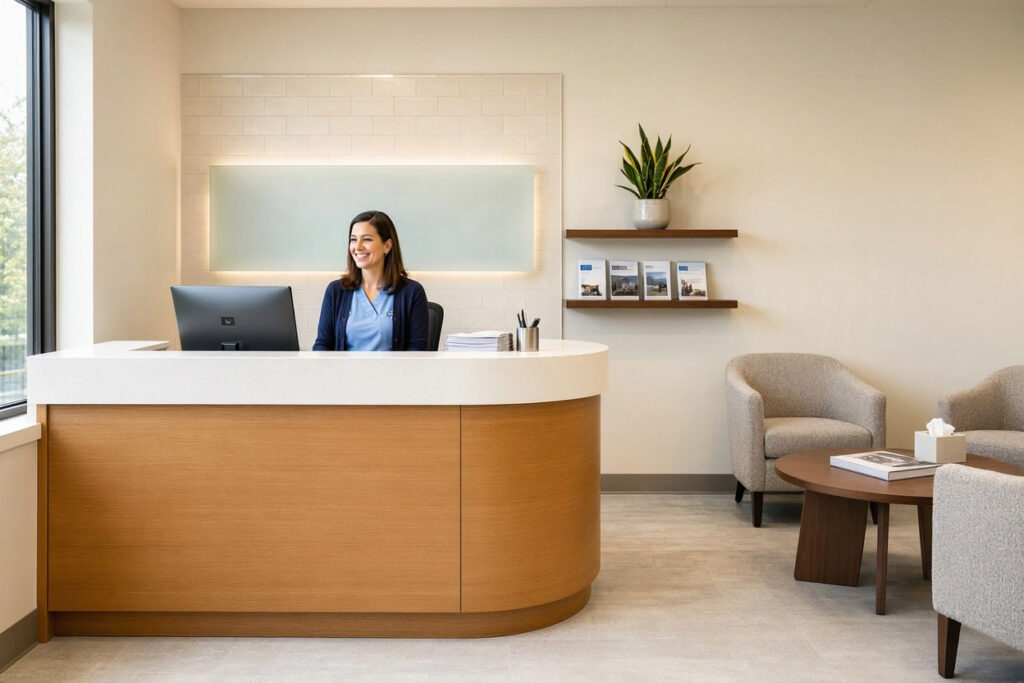
The front desk is where your practice meets every patient, every day. It’s also where small problems become big ones fast: a missed call, a misfiled claim, a patient who feels ignored at check-in. The clinical team can deliver excellent dentistry, but if the front desk stumbles, that’s what patients remember.
This guide focuses on running the front desk as an operation—how to staff it, train it, organize its workflow, and measure its performance. If you’re planning the physical design of the reception area, our article on dental office front desk design covers furniture and layout in depth. Here, the focus is on the people and processes that make the desk work.
What the Front Desk Actually Does
The job title sounds simple. The reality involves juggling a dozen responsibilities simultaneously.
Core Functions
- Greeting and check-in: Welcoming patients, verifying information, and updating records.
- Scheduling: Booking appointments, managing cancellations, and filling gaps.
- Phone management: Handling new patient inquiries, insurance questions, and appointment changes.
- Billing and payments: Collecting co-pays, processing payments, and explaining statements.
- Insurance coordination: Verifying benefits and submitting claims.
- Recall management: Contacting patients due for hygiene visits.
- Records and compliance: Managing forms, HIPAA documentation, and consent records.
- Triage: Identifying urgent calls and routing them appropriately.
“People think the front desk is a reception job. It’s actually three jobs wearing one name tag: customer service, scheduling, and billing. When you understand that, you staff it properly.” — Laura Simmons, Dental Consultant
Staffing the Front Desk
Understaffing this role is one of the most common mistakes in dental practices. Here’s how to get it right.
How Many Front Desk Staff Do You Need?
| Practice Size | Typical Front Desk Staffing | Notes |
|---|---|---|
| Solo dentist, part-time | 1 person | Often combined with other duties. |
| Solo dentist, full-time | 1 – 2 people | Two staff allow coverage for lunch, breaks, and vacations. |
| Two dentists | 2 – 3 people | A dedicated scheduler plus billing support works well. |
| Multi-chair group practice | 3+ people, often with role specialization | Consider separate check-in, scheduling, and billing roles. |
The Coverage Problem
A single front desk person has no backup. When they’re at lunch, in the restroom, or out sick, the desk is uncovered. Even a modest practice benefits from a second person or a trained backup from elsewhere in the office.
Role Specialization
In busy practices, splitting duties improves performance:
- Check-in coordinator: Greets patients, verifies information, manages the flow of arrivals.
- Scheduler: Handles phone calls, books appointments, manages recall.
- Billing coordinator: Processes claims, follows up on denials, handles payments.
Specialization reduces errors and lets each person develop deeper expertise. In smaller practices, one person handles all three, which makes clear systems essential.
Daily Workflow: A Structure That Works
A front desk without a routine becomes reactive, and reactive desks make mistakes. These routines keep things running smoothly.
Morning Routine
- Review the day’s schedule and flag any gaps or conflicts.
- Confirm insurance eligibility for the day’s patients.
- Check voicemail and return urgent calls.
- Prepare check-in materials and confirm the waiting area is tidy.
- Review outstanding balances to collect at appointments.
Throughout the Day
- Greet each patient by name and confirm appointment details.
- Verify and update patient information at check-in.
- Collect co-pays and outstanding balances before treatment begins.
- Manage the schedule in real time as appointments run long or short.
- Route phone calls to the appropriate person quickly.
End-of-Day Routine
- Confirm next-day appointments with reminder calls or texts.
- Reconcile payments and prepare the daily deposit.
- Review tomorrow’s schedule for insurance or preparation issues.
- Note any unfinished tasks for the next day.
- Straighten the desk and lobby for the morning.
| Time of Day | Key Tasks | Why It Matters |
|---|---|---|
| Morning | Schedule review, insurance checks, voicemail | Prevents surprises during patient hours |
| Midday | Patient flow management, payment collection | Keeps the day on track |
| End of day | Deposit, confirmations, next-day prep | Sets up tomorrow for success |
Patient Communication Standards
Every patient interaction at the desk shapes how people feel about your practice.
Phone Skills
- Answer within three rings whenever possible.
- Use a consistent greeting that includes the practice name and your name.
- Smile while speaking—it’s audible in your voice.
- Ask before placing someone on hold, and check back within 30 seconds.
- Take complete messages: name, number, reason for call, and best time to reach.
In-Person Skills
- Acknowledge every patient within a few seconds of arrival, even if you’re on the phone.
- Stand or make eye contact when greeting.
- Use the patient’s name.
- Handle billing conversations privately, away from the waiting area where possible.
- Apologize sincerely for delays and give realistic time estimates.
Managing Difficult Conversations
The front desk absorbs most of the frustration patients bring in. Train staff in de-escalation:
- Listen fully before responding.
- Acknowledge the patient’s feelings without assigning blame.
- Offer specific options rather than vague promises.
- Know when to escalate to the office manager or dentist.
“We scripted the first thirty seconds of every phone call and every check-in. It sounds rigid, but it gave new staff confidence, and patients noticed the consistency.” — Priya Desai, Dental Office Manager
Technology at the Front Desk
The right tools reduce workload and errors. The wrong ones add complexity.
| Technology | Purpose | Practical Notes |
|---|---|---|
| Practice management software | Scheduling, records, billing | Ensure all staff are fully trained; poorly used software causes errors. |
| Online scheduling | Patient self-booking | Reduces phone volume but needs clear rules to avoid schedule chaos. |
| Automated reminders | Reduce no-shows | Text and email reminders cut missed appointments significantly. |
| Digital check-in forms | Streamline intake | Reduces paper handling; verify HIPAA compliance. |
| Insurance verification tools | Confirm coverage quickly | Saves time and reduces claim denials. |
| Card payment terminals | Collect payments securely | Choose systems that integrate with your practice software. |
Automation With Judgment
Automation handles routine tasks well—reminders, confirmations, recall messages. But patients still want a human voice for complex questions and complaints. Don’t automate the moments that matter most.
Training the Front Desk Team
Most front desk staff learn on the job. A structured training plan shortens the learning curve and prevents costly errors.
Training Checklist
- Week one: Software basics, phone scripts, check-in and check-out procedures, office tour.
- Weeks two to four: Insurance verification, payment processing, scheduling rules, recall system.
- Month two: Billing and claims basics, difficult conversation practice, HIPAA and OSHA compliance.
- Ongoing: Monthly refresher topics, cross-training, and feedback sessions.
Cross-Training Matters
Train at least one other staff member—often a clinical assistant or office manager—to cover the front desk in emergencies. This also helps the primary desk staff take real breaks.
Measuring Front Desk Performance
What gets measured gets improved. These metrics tell you how the desk is performing.
| Metric | What It Reveals | Healthy Target |
|---|---|---|
| No-show rate | Effectiveness of reminders and scheduling | Under 5% |
| Call answer rate | Accessibility of the practice | 90%+ of calls answered live |
| Average wait time | Check-in efficiency | Under 15 minutes |
| Collections rate | Billing effectiveness | 95%+ of production collected |
| New patient conversion | Phone handling quality | 70%+ of inquiries booked |
| Patient satisfaction scores | Front desk experience | Consistent positive feedback |
Review these monthly with the front desk team. Celebrate wins and address gaps without blame.
Common Front Desk Problems and Fixes
| Problem | Common Cause | Practical Fix |
|---|---|---|
| Long phone hold times | Understaffing or poor call routing | Add staff during peak hours; use a call-back feature. |
| Missed insurance details | No verification routine | Build verification into the pre-appointment checklist. |
| Uncollected balances | Reluctance to ask for payment | Script payment requests; make it routine at check-in. |
| Schedule gaps | Slow recall process | Automate recall reminders; use a waitlist for cancellations. |
| Patient frustration | Long waits without communication | Give realistic time estimates and update patients proactively. |
| High staff turnover | Stress and poor training | Invest in training, breaks, and clear expectations. |
An FAQ on Dental Office Front Desks
1. How many staff should work the front desk in a dental office?
A solo full-time practice needs at least two people for coverage, or one with trained backup. Busier practices and multi-dentist offices typically need two to three dedicated staff, sometimes with specialized roles.
2. What is the most important skill for front desk staff?
Calm, clear communication. The desk handles stressed patients, insurance problems, and scheduling conflicts all day. Technical skills can be trained; composure and empathy are harder to teach.
3. How do I reduce no-shows with front desk processes?
Use automated text and email reminders, confirm appointments 24 to 48 hours ahead, maintain a waitlist for cancellations, and track no-show patterns by day and time. Follow up with patients who repeatedly miss appointments.
4. Should the front desk handle billing, or should that be separate?
In smaller practices, one person often handles both, but the workload is heavy. If billing errors or delayed claims become routine, consider a dedicated billing coordinator or outsourcing claims processing.
5. How do I handle an angry patient at the front desk?
Listen fully, acknowledge their frustration, offer specific solutions, and escalate to the office manager if needed. Train staff in de-escalation and give them clear authority to resolve common issues on the spot.
6. What should the front desk script include?
A consistent greeting, a check-in script, a payment request script, a phone hold script, and a difficult conversation framework. Scripts give new staff confidence and create consistency, but staff should sound natural, not robotic.
Important Note for Readers
Front desk staff handle protected health information daily. Ensure all team members are trained in HIPAA requirements and your practice’s privacy policies. Verify that any digital check-in or scheduling tools you adopt meet relevant compliance standards. Requirements vary by region, so confirm local regulations before implementation.
Conclusion
A well-run dental office front desk is the operational heart of the practice.
Clear roles, routines, and training keep daily operations smooth and error-free.
Strong communication skills turn routine interactions into trust-building moments.
Consistent measurement and honest feedback keep the desk improving over time.
Additional Resource: For guidance on patient communication and privacy requirements, visit the U.S. Department of Health and Human Services HIPAA page. https://www.hhs.gov/hipaa/index.html