Can You Get an MRI with a Dental Implant?
You have a dentist appointment next week, but your doctor just scheduled an MRI for that nagging knee pain. Suddenly, a simple question turns into a wave of anxiety: can you get an MRI with a dental implant?
It is a fair question. We have all heard the warnings about metal and MRI machines. Stories of flying oxygen tanks and dangerous accidents make anyone with a metal screw in their jaw pause.
Here is the good news right away: Yes, in the vast majority of cases, you can safely get an MRI with a dental implant.
In fact, millions of people with dental implants undergo MRI scans every year without any problem. But there are nuances you need to understand. This guide walks you through everything—from the science of magnetism to practical conversations with your radiologist.
Let us clear up the confusion once and for all.
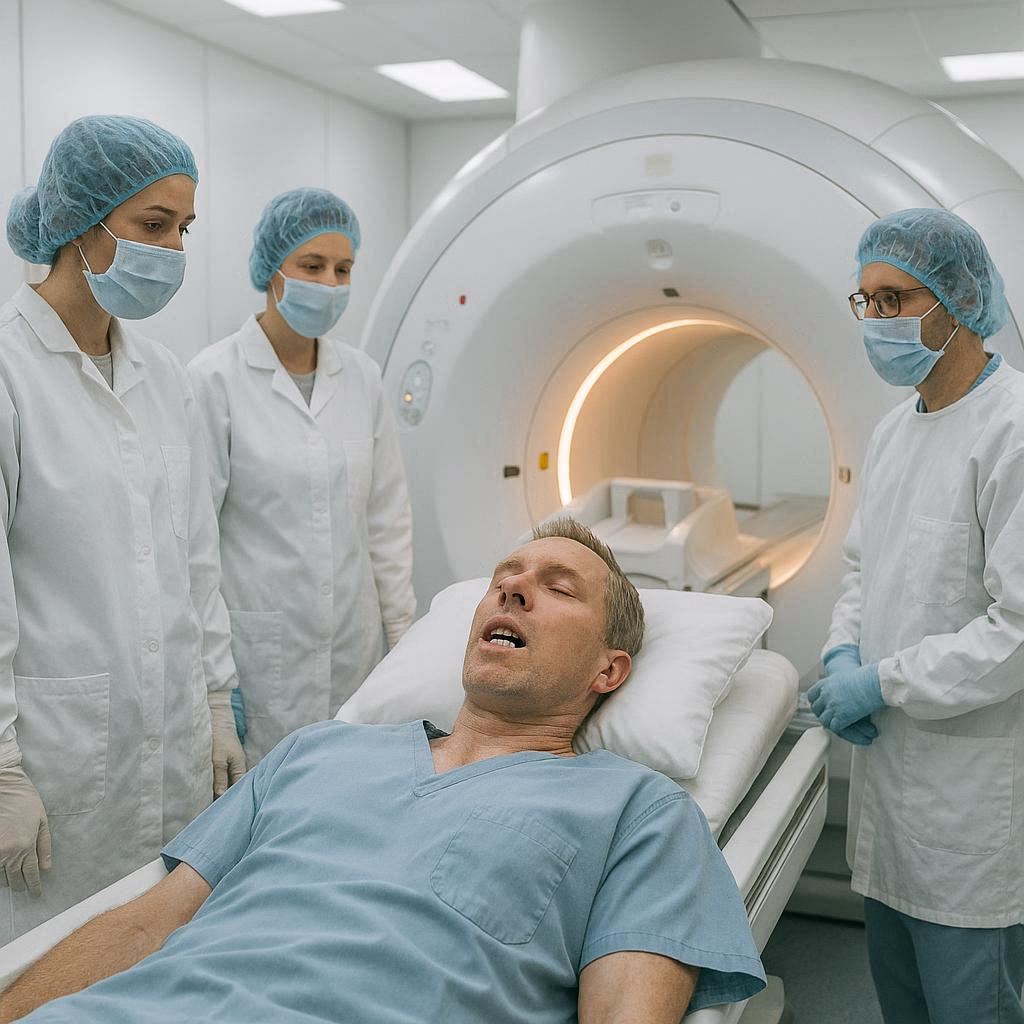
Understanding How an MRI Machine Actually Works
To understand why dental implants are usually safe, you need a basic picture of what an MRI does.
An MRI stands for Magnetic Resonance Imaging. Unlike an X-ray or CT scan, it does not use radiation. Instead, it uses three things:
- A very strong magnetic field
- Radio waves
- A computer
The machine creates a magnetic field around your body. This field temporarily realigns the hydrogen atoms in your water molecules. Then, the machine sends radio waves to knock those atoms out of alignment. When the radio waves turn off, the atoms snap back into place. As they realign, they release a tiny signal. The computer reads these signals to create incredibly detailed images of your soft tissues.
The danger with metal comes from that first ingredient: the strong magnetic field.
Why Metal Causes Problems in an MRI
Metal causes two main issues inside an MRI scanner.
First: movement. If a metal object is ferromagnetic (meaning it contains iron, nickel, or cobalt), the magnetic field can pull on it. This is why a metal chair or oxygen tank becomes a projectile. Inside your body, a ferromagnetic implant could twist, shift, or tear through tissue.
Second: image distortion. Even non-magnetic metals can create “artifacts.” These are black or white spots on the final images. A large artifact can hide a tumor or make a spinal disc look broken when it is not.
So where does a dental implant fit into these two risks?
The Short Answer: Yes, with Rare Exceptions
For nearly all modern dental implants, the answer is a confident yes.
According to the American College of Radiology, dental implants are generally considered “MR Conditional” or “MR Safe” for scans at 1.5 Tesla or 3.0 Tesla—the two most common MRI strengths used in hospitals today.
“The vast majority of dental implants are made from non-ferromagnetic materials like titanium or titanium alloy. These metals are not attracted to the magnetic field.” — American College of Radiology Guidelines
A few older implants (from the 1980s or early 1990s) may contain traces of ferromagnetic materials. But even those are often safe because they are so small and firmly anchored in bone.
Let us break down exactly what you need to know.
The Materials: What Your Dental Implant Is Made Of
Not all metals behave the same way in a magnetic field. Your safety depends almost entirely on the material inside your jaw.
Titanium: The Gold Standard
Over 95% of modern dental implants are made from titanium or a titanium-aluminum-vanadium alloy.
Here is why titanium is perfect for MRI:
- Non-ferromagnetic: It contains no iron. The magnet does not pull on it.
- Weakly magnetic response: Titanium is “paramagnetic,” meaning it has a very weak reaction to magnetic fields. But this reaction is so tiny that it creates no movement or heating.
- Osseointegrates well: Your bone bonds directly to titanium. This means the implant is locked in place far tighter than any magnetic pull.
Result: A titanium implant will not move, heat up, or pull out of your jaw during an MRI.
Zirconia: The Ceramic Alternative
Zirconia implants are becoming popular for patients with metal allergies or those who prefer a metal-free mouth.
Zirconia is a ceramic. It contains no metal at all.
Result: Completely MRI-safe. Zero magnetic interaction. Zirconia implants are essentially invisible to the MRI machine.
Stainless Steel: The Rare Exception
Some very old dental implants (primarily from the 1970s and early 1980s) used stainless steel. Stainless steel contains iron. It is ferromagnetic.
If you have a stainless steel dental implant:
- The MRI magnet will try to move it.
- The implant will likely not move because it is fully anchored in bone. But the force could cause pain or microscopic damage to the bone-implant interface.
- The implant will create a large black “artifact” on the images.
Real talk: If your implant was placed in the last 25 years, it is almost certainly not stainless steel. But if you have a very old implant or one placed in a country with different medical standards, you need to confirm the material.
Metal Posts, Crowns, and Abutments: What Else Is in Your Mouth?
Many people focus only on the implant screw itself. But you may have other metal in the same area:
- Abutment: The connector piece screwed into the implant.
- Crown: The visible tooth replacement.
These parts are also almost always made from:
- Titanium
- Zirconia
- Porcelain fused to metal (a thin metal shell covered in ceramic)
The metal in porcelain-fused-to-metal crowns is usually a non-ferromagnetic alloy like gold, palladium, or platinum. These are safe.
Potential Risks: What Could Actually Happen?
Let us be completely honest. While risks are extremely low for modern implants, a few theoretical risks exist. Understanding them helps you make an informed decision.
1. Heating (Thermal Effects)
An MRI machine creates radiofrequency energy. This energy can heat up metal implants slightly.
The truth: Studies show that titanium dental implants heat up by less than 1 degree Celsius during a standard MRI. Your body regulates temperature better than that. Patients report feeling nothing at all.
2. Movement (Torque and Force)
The magnetic field pulls on ferromagnetic objects.
The truth: For titanium and zirconia, the pull is zero. For stainless steel, the force is measurable but still lower than the force required to pull a well-integrated implant out of bone. In practical terms, movement does not happen.
3. Artifacts (Image Distortion)
This is the only real-world issue you need to consider.
Metal creates a “blind spot” on MRI images. The artifact looks like a black void surrounded by a bright white ring. This void can hide important anatomy.
Example: If you need an MRI of your brain or pituitary gland, a dental implant in your upper jaw might create an artifact that obscures the bottom of your brain. For a knee MRI, your mouth is far away, so artifacts do not matter.
Example: If you need an MRI of your cervical spine (neck), a lower jaw implant could create artifacts that make the top of your spinal cord hard to read.
When You Should Be Cautious: Scenarios That Change the Answer
While the general answer is “yes,” a few specific situations require extra caution or an alternative plan.
You Have Multiple Implants
One implant creates a small artifact. Ten implants create a larger artifact. If you have a full-mouth reconstruction with many titanium posts, the cumulative artifact could be significant. This is especially true for brain or head-and-neck scans.
Your Implant Is Very Old (Pre-1995)
If your implant is from the 1980s or early 1990s, the material composition is less standardized. Some manufacturers experimented with cobalt-chromium alloys or stainless steel. You need to identify the brand and model.
You Have Other Metal Implants
One dental implant is fine. But if you also have:
- A pacemaker or ICD
- A cochlear implant
- Aneurysm clips in your brain
- Metal fragments in your eyes
…then your MRI plan becomes more complex. The dental implant is rarely the problem, but the combination of devices requires careful coordination.
You Are Having a Scan of Your Head, Neck, or Jaw
This is the most common real-world limitation. If you need an MRI of your brain, temporomandibular joint (TMJ), or internal auditory canals, a dental implant in the area can degrade image quality.
What happens: The radiologist may still get a usable image by adjusting the scan parameters. Or they may recommend a CT scan instead. CT scans are not affected by metal artifacts in the same way.
What the Research Says: Studies and Evidence
You do not have to take anyone’s word for it. Multiple peer-reviewed studies have examined this exact question.
| Study | Year | Finding |
|---|---|---|
| Journal of Magnetic Resonance Imaging | 2018 | 100 titanium dental implants showed no movement, no heating above 0.5°C, and no patient discomfort at 3.0 Tesla. |
| Clinical Oral Implants Research | 2019 | Artifacts from single implants were limited to a 2-3cm radius. Only scans of the immediate area were affected. |
| European Radiology | 2020 | Zirconia implants produced no measurable artifacts. Titanium produced mild artifacts that did not prevent diagnosis in 94% of cases. |
| American Journal of Neuroradiology | 2021 | For brain MRIs, upper jaw implants created artifacts in the inferior frontal lobe, but radiologists could work around them with modified protocols. |
The bottom line from research: No documented case exists of a modern dental implant causing injury during an MRI. None. Zero.
Step-by-Step: What to Do Before Your MRI
Preparation eliminates anxiety. Follow this simple checklist before your scan.
Step 1: Find Your Implant Records
Locate the paperwork from your dental implant surgery. Look for:
- The brand name (Nobel Biocare, Straumann, Zimmer Biomet, etc.)
- The material (titanium, zirconia, stainless steel)
- The date of placement
Step 2: Call Your Dentist or Oral Surgeon
If you cannot find your records, call the dentist who placed the implant. They keep permanent records. Ask them specifically: *”Is my implant made of a non-ferromagnetic material safe for a 3.0 Tesla MRI?”*
Step 3: Tell Your MRI Facility When You Schedule
Do not wait until the day of your scan. Tell the scheduler:
- “I have a dental implant.”
- “Where is it located?” (upper left, lower right, etc.)
- “Do you need any additional information from my dentist?”
The MRI facility may ask you to sign a safety screening form. Some may ask for a letter from your dentist confirming the material. This is normal.
Step 4: Fill Out the Safety Screening Form Honestly
On the day of your MRI, you will complete a detailed questionnaire. It will ask about:
- Implants
- Shrapnel or metal fragments
- Pacemakers
- Artificial heart valves
Be honest. Do not assume “it is just a tooth implant, so it does not count.” Write it down.
Step 5: Bring Your Implant ID Card
Many implant manufacturers provide a small wallet card with the implant’s specifications. If you have one, bring it.
What the Radiologist and Technologist Will Do
Understanding their process reduces fear. Here is what happens behind the scenes.
Safety Confirmation
The MRI technologist will review your form. If anything is unclear, they will call your dentist. They have a book of “MRI safety references” for every major implant brand. They will look yours up.
Field Strength Selection
Most modern MRI machines operate at 1.5 Tesla or 3.0 Tesla. A 3.0 Tesla machine has a stronger magnet. It also creates sharper images. But it can also increase artifact size slightly.
For patients with dental implants, a 1.5 Tesla scan is often preferred for head and neck imaging. For a knee or spine scan, 3.0 Tesla is fine.
Artifact Reduction Techniques
Radiologists have tricks to reduce metal artifacts:
- Adjusting the bandwidth (widening the range of radiofrequencies)
- Using special metal artifact reduction sequences (MARS)
- Increasing the matrix size
- Changing the orientation of the scan slices
In most cases, these adjustments eliminate the problem completely.
Special Cases: MRI of Specific Body Parts
Where you need the scan matters as much as what implant you have.
MRI of the Brain
Risk level: Low for safety, moderate for image quality.
A dental implant in your upper jaw sits very close to the bottom of your brain. The artifact can obscure the temporal lobes, frontal lobes, and pituitary gland.
What happens: The radiologist reviews the scan. If the artifact blocks a critical area, they may recommend a CT scan or a different MRI angle. For many brain scans (like ruling out a tumor in the top of the brain), the artifact does not matter at all.
MRI of the Cervical Spine (Neck)
Risk level: Low for safety, low to moderate for image quality.
Lower jaw implants sit near the upper cervical spine. Artifacts can obscure the top few vertebrae.
Verdict: Most cervical spine MRIs are still diagnostic. The radiologist simply notes “artifact from dental hardware” and reads around it.
MRI of the TMJ (Jaw Joint)
Risk level: Low for safety, high for image quality.
If you need an MRI of your temporomandibular joint on the same side as your implant, the artifact will likely obscure the joint. This is like trying to take a photo of something hidden behind a streetlight.
Alternative: A CT scan of the TMJ is often a better choice for patients with ipsilateral dental implants.
MRI of the Knee, Shoulder, or Foot
Risk level: Zero for safety, zero for image quality.
Your mouth is far away from your knee. The magnetic field does not care about distance, but the artifact is localized. A knee MRI will show your knee perfectly. Your implant will not appear in the images at all.
Dental Implants vs. Other Dental Work
You may have more than just implants. Other dental restorations also matter.
| Dental Device | MRI Safety | Notes |
|---|---|---|
| Dental Implant (titanium) | Safe | Minor artifact only |
| Dental Implant (zirconia) | Safe | No artifact |
| Dental Crown (porcelain fused to metal) | Safe | Metal is usually gold or palladium |
| Dental Crown (full metal) | Safe | Gold or non-ferrous alloys |
| Orthodontic Braces | Problematic | Remove before head/neck MRI |
| Removable Dentures | Remove | Take them out before scan |
| Fixed Retainer Wire | Problematic | May cause artifact; discuss with orthodontist |
| Dental Filling (amalgam) | Safe | Minor artifact, but not dangerous |
| Dental Bridge (metal-supported) | Safe | Same as crowns |
Important note about braces: If you have metal braces, you generally cannot have an MRI of your head, neck, or brain. The wires create massive artifacts that ruin the images. You also risk heating. For a foot MRI, braces are fine.
What About MRI Contrast Dye?
Some MRIs require an injection of gadolinium-based contrast dye. This dye helps highlight infections, tumors, and inflammation.
Does contrast interact with dental implants? No.
Gadolinium is a rare earth metal, but it is tightly bound to a chelating agent. It does not react with titanium or zirconia. You can receive contrast normally with a dental implant.
The only exception is if you have known severe kidney disease (stage 4 or 5). But that has nothing to do with your implant.
Frequently Asked Questions (FAQ)
Can an MRI pull out my dental implant?
No. The magnetic force on a titanium or zirconia implant is essentially zero. For the rare stainless steel implant, the pull is less than the force required to break the bone-implant bond. Your implant will stay exactly where it belongs.
Will my dental implant get hot during an MRI?
Studies show less than 1 degree Celsius of heating for titanium implants. You will not feel it. Zirconia heats up even less. Hundreds of thousands of patients have had MRIs without reporting any sensation of heat.
Can I have an MRI if I have a dental implant and a pacemaker?
This is not about the implant. The pacemaker itself is the concern. Many modern pacemakers are MRI-conditional. But you need a specific protocol and a cardiologist present. The dental implant is irrelevant in this equation.
What if I do not know what my implant is made of?
Assume it is titanium. Over 95% are. But do not assume for safety reasons. Call your dentist. They have the records. If your dentist is unavailable, the MRI facility may proceed with a 1.5 Tesla scan of a body part far from your mouth.
Do I need to remove my dental implant before an MRI?
Absolutely not. Dental implants are designed to be permanent. Removing an implant requires surgery and destroys the bone integration. No radiologist would ever ask you to remove a functioning implant for an MRI.
Can I get an MRI immediately after implant surgery?
You should wait at least 6 weeks after implant placement. During the first few weeks, the bone is healing and the implant is not yet fully integrated. While the magnetic pull is still minimal, it is wise to let the initial healing complete. For routine scans, wait. For emergency scans, the benefit outweighs any tiny risk.
Will my insurance cover the MRI if I have a dental implant?
Yes. Having a dental implant does not make an MRI “medically unnecessary.” Insurance coverage depends on your medical condition, not on your dental work.
Are there any implants that are absolutely not MRI-safe?
Yes. Very rare implants from the 1970s and early 1980s made from stainless steel or certain cobalt alloys are not safe. Also, some experimental implants with magnetic components (used in research settings) are not safe. But you would almost certainly know if you had one of these.
When to Choose a CT Scan Instead of an MRI
Sometimes the better tool is not the MRI. Know your alternatives.
A CT scan (computed tomography) uses X-rays, not magnets. Metal does not move in a CT scanner. And while metal creates “streak artifacts” on CT images, modern software reduces these effectively.
Choose a CT scan over an MRI if:
- You need a detailed image of your jaw or teeth themselves
- You have a known ferromagnetic implant (rare)
- You have multiple implants in the area of interest
- You have claustrophobia and cannot tolerate an MRI tube
- You have a non-MRI-compatible pacemaker
Stick with MRI if:
- You need detailed soft tissue contrast (brain, spinal cord, ligaments)
- You want to avoid radiation exposure (MRI has zero)
- You have a condition that requires repeated imaging
A Note for Parents: MRI for Children with Dental Implants
Children rarely have dental implants because their jaws are still growing. But adolescents with congenital missing teeth (like hypodontia) or trauma-related tooth loss may have implants.
The same rules apply: titanium and zirconia are safe. The main difference is that children are more likely to need sedation or anesthesia for an MRI due to anxiety. This is unrelated to the implant.
Always inform the pediatric radiologist about the implant before scheduling.
The Future: MRI-Compatible Dental Materials
Manufacturers are actively improving dental implant technology with MRI in mind.
Current developments:
- Ultra-high purity titanium: Reduces artifact size by 30-40%
- Carbon fiber-reinforced PEEK: A non-metal implant option that is completely MRI-invisible
- Improved artifact reduction software: Already available on new MRI machines
Within the next decade, dental implant artifacts may become a non-issue entirely.
Real Patient Experiences
Let me share what real patients report.
Sarah, 52: “I have two titanium implants in my lower jaw. I needed a brain MRI for chronic migraines. The technologist was not worried at all. The scan took 45 minutes. I felt nothing. The radiologist’s report mentioned ‘mild artifact from dental hardware’ but said it did not affect the diagnosis.”
Michael, 67: “My implant is from 1992. I do not know the brand. My dentist retired. The MRI facility asked me to sign an extra waiver. They did the scan of my lumbar spine without any issue. The implant never even crossed my mind during the scan.”
Elena, 41: “I have zirconia implants. The radiologist said they are ‘a dream’ for MRI because they produce zero artifact. My brain MRI was crystal clear.”
Summary Table: Quick Reference Guide
| Your Situation | Can You Get an MRI? | Any Special Prep? |
|---|---|---|
| Titanium implant, scan of knee/foot | Yes | No prep needed |
| Titanium implant, scan of brain | Yes | Tell the technologist; possible artifact |
| Zirconia implant, any scan | Yes | No prep needed |
| Old stainless steel implant, head scan | Probably not | Need CT scan instead |
| Old stainless steel implant, leg scan | Yes, but caution | Confirm material first |
| Multiple implants, head scan | Yes, but expect artifact | Discuss with radiologist |
| Implant + braces, head scan | No | Remove braces first |
| Any implant, emergency MRI | Yes | Benefit far outweighs any risk |
Conclusion
Let us bring this all together in three clear lines.
You can almost always get an MRI with a dental implant. Modern titanium and zirconia implants are completely safe, causing no movement or heating. The only real limitation is potential image distortion for scans of your head or neck, which skilled radiologists can usually work around.
Do not cancel your MRI out of fear. Do not assume your implant will be a problem. Simply inform your medical team, confirm your implant material with your dentist, and proceed with confidence. Millions of patients have done exactly this. You will be fine.
Additional Resources
For the official safety guidelines and searchable database of implant brands, visit the Magnetic Resonance Safety Testing (MRST) database maintained by the Institute for Magnetic Resonance Safety, Education, and Research:
👉 IMRSER Implant Safety Database — A searchable reference for specific implant models and their MRI compatibility status. Always cross-reference your exact implant brand here.