Dental Office Desk: Choosing the Right Desk for Every Workstation
A desk seems like a simple piece of furniture. In a dental office, it’s anything but. The front desk handles check-ins, payments, and phone calls all at once. The business office desk manages insurance claims, scheduling, and payroll. The clinical desk supports charting and treatment planning. Each one has different demands, and choosing the wrong desk creates daily friction that your team feels every single hour.
This guide breaks down what actually matters when selecting a dental office desk. You’ll find practical guidance on ergonomics, materials, storage, and layout for each type of workstation, plus the mistakes that cost practices money and staff comfort.
Why Desk Choice Deserves Real Thought
Desks are used more than almost any other object in your office. A hygienist touches a dental chair for twenty minutes at a time; your front desk coordinator sits at a desk for eight hours straight.
Comfort Drives Retention
An uncomfortable workstation contributes to fatigue, back pain, and turnover. Replacing a trained front office coordinator costs far more than upgrading the desk they sit at every day.
Layout Drives Efficiency
A well-designed desk keeps frequently used items within reach and keeps clutter out of sight. A poorly designed one forces staff to stand, reach, and search constantly.
The Desk Is Part of the Patient Experience
The front desk is the first physical interaction point in your practice. Its height, appearance, and organization shape patient perception before treatment even begins.
“We upgraded our reception desk to an adjustable-height model. Two of our staff had back issues, and both reported improvement within weeks. It also made our front office look far more modern.” — Sandra Bell, Practice Manager
The Main Types of Dental Office Desks
Different roles need different desks. Let’s look at the primary categories.
| Desk Type | Typical Location | Key Features |
|---|---|---|
| Reception desk | Lobby / front entrance | Transaction counter, patient-facing height, storage, cable management. |
| Business office desk | Back office | Large work surface, file storage, privacy, multiple monitors. |
| Clinical charting desk | Treatment room or shared clinical area | Compact, easy-clean surface, close to equipment. |
| Sterilization workspace desk | Sterilization room | Moisture-resistant, durable, easy to disinfect. |
| Manager’s desk | Private office | Full-size work surface, storage, comfort for long hours. |
Reception Desk: The Practice’s Face
The reception desk does more than any other desk in the office. It greets patients, processes payments, answers phones, and manages scheduling—often simultaneously.
Height Considerations
Reception desks typically have two levels:
- Standing counter (around 42 inches): For patient transactions, signing forms, and making payments.
- Seated work surface (around 30 inches): For staff computers, phones, and paperwork.
Include a lowered section at 36 inches or below for wheelchair accessibility. This is often required by local code, so verify before ordering.
The Open vs. Closed Question
An open desk feels welcoming and allows easy conversation. A closed desk offers privacy for billing discussions and sensitive patient information.
Many practices choose a hybrid: an open greeting area combined with a screened section for private conversations. If your layout allows, a separate checkout counter reduces congestion at check-in.
Storage at Reception
Reception desks need storage for:
- Patient forms and brochures
- Office supplies
- Payment processing equipment
- Personal belongings of staff
- Files and reference materials
Choose a desk with drawers and cabinets that lock, since reception areas handle sensitive information and cash.
Cable Management
Reception desks host computers, phones, card readers, and often multiple monitors. Plan for cable routing through grommets or under-desk trays. Tangled wires look unprofessional and create tripping hazards.
“Our old reception desk had no cable management at all. It looked like a nest of snakes behind the counter. The new desk has a full cable trough, and the difference is night and day.” — Brian Kowalski, Office Manager
Business Office Desk: The Administrative Engine
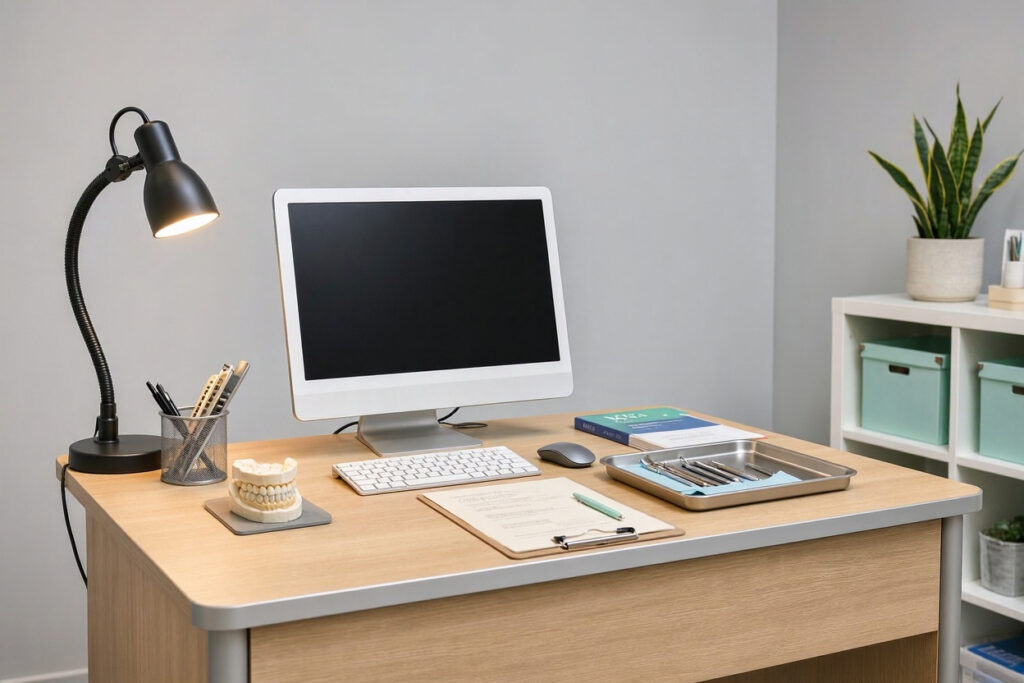
The business office is where insurance claims, scheduling, and financial work happen. This desk needs to support long hours of focused work.
Size Matters
Business office desks should be larger than reception desks. A surface of at least 60 inches wide and 30 inches deep gives room for a keyboard, monitor, paperwork, and a phone without crowding.
Ergonomics First
- Adjustable height: Sit-stand desks are increasingly popular and genuinely beneficial for staff who spend most of the day seated.
- Monitor arms: Allow precise positioning of screens at eye level.
- Keyboard trays: Keep wrists in a neutral position.
- Footrests: Help shorter staff maintain proper posture.
- Supportive chair: A quality ergonomic chair matters as much as the desk itself.
Privacy and Focus
Business office desks often handle confidential information. Position the desk so screens aren’t visible from doorways or patient areas. Use privacy filters on monitors if the desk faces a window or open door.
Storage Needs
Business office desks should include:
- File drawers for insurance paperwork and patient records
- Locking drawers for sensitive documents
- Overhead shelving or hutch for reference materials
- A dedicated space for a printer or scanner
For a deeper look at front desk workflow, see our guide on dental office front desk design.
Clinical Desks and Charting Stations
Not every clinical task happens chairside. Charting, treatment planning, and notes require a desk in or near treatment rooms.
Compact and Practical
Clinical desks should be small enough not to crowd the treatment room but large enough for a laptop, notes, and a few supplies. Wall-mounted or fold-down desks save floor space in smaller operatories.
Easy-Clean Surfaces
Clinical desks need surfaces that can be wiped with disinfectant. Avoid wood veneers and porous materials. Solid surface, laminate, or stainless steel are better choices.
Positioning
Place clinical desks out of the patient’s direct line of sight where possible. The desk should be accessible to both the dentist and assistant without crossing in front of the patient.
Sterilization Workspace Desks
The sterilization area is a working room, not a sitting room. Desks here serve as sorting and processing surfaces.
Key Requirements
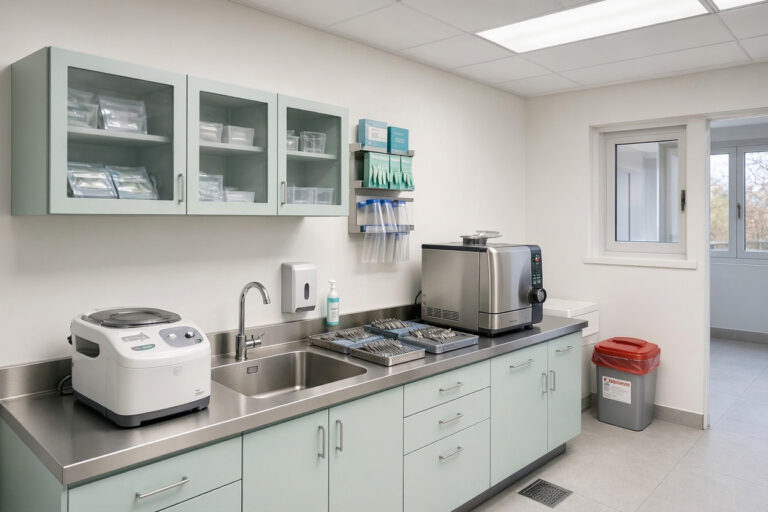
- Moisture resistance: Constant exposure to water, steam, and cleaning agents.
- Durability: Heavy instruments and trays get set down repeatedly.
- Easy disinfection: Surfaces must withstand hospital-grade chemicals.
- Adequate depth: At least 24 to 30 inches for sorting trays and packaging instruments.
Best Materials
Stainless steel is the gold standard for sterilization workspaces. Solid surface materials like Corian are a good second choice. Avoid particleboard-based desks entirely in this room. For a full workflow guide, read our article on dental office sterilization room design.
Materials: What Holds Up in a Dental Office
Desk materials affect durability, hygiene, and appearance.
| Material | Pros | Cons | Best Use |
|---|---|---|---|
| Laminate | Affordable, wide color range, easy to clean. | Can chip at edges, not heat resistant. | Reception, business office. |
| Solid surface (Corian, etc.) | Non-porous, repairable, seamless look. | Higher cost, can scratch. | Reception counters, clinical desks. |
| Stainless steel | Extremely hygienic, durable, easy to disinfect. | Industrial appearance, can dent. | Sterilization workspaces. |
| Wood veneer | Warm, professional, premium look. | Requires care, not suitable for clinical areas. | Management offices, consultation rooms. |
| Glass | Modern, easy to clean. | Shows fingerprints, can break. | Accent surfaces at reception. |
For clinical and sterilization areas, prioritize cleanability over aesthetics. For reception and management, balance both.
Ergonomics: The Details That Matter
Poor ergonomics leads to pain, fatigue, and reduced productivity. These adjustments make a measurable difference.
- Desk height: Standard height is 28 to 30 inches, but adjustable desks suit a wider range of staff.
- Monitor distance: Screens should sit about 20 to 40 inches from the eyes, slightly below eye level.
- Keyboard and mouse: Keep elbows at roughly 90 degrees, wrists neutral.
- Lighting: Task lighting reduces eye strain. Position it to avoid glare on screens.
- Foot support: Feet should rest flat on the floor or a footrest.
- Movement: Encourage staff to stand and stretch every hour. A sit-stand desk makes this easier.
| Ergonomic Issue | Simple Fix |
|---|---|
| Neck strain from low monitors | Monitor arms or a riser |
| Wrist pain | Ergonomic keyboard and mouse, wrist rest |
| Back pain | Adjustable chair with lumbar support |
| Leg fatigue | Footrest or anti-fatigue mat |
| Eye strain | Task lighting, screen glare filters |
Desk Organization and Cable Management
A cluttered desk slows everyone down. Build organization into the desk itself.
- Drawer dividers: Keep small items sorted and visible.
- Under-desk trays: Route cables out of sight and off the floor.
- Monitor arms: Free up desk surface and improve positioning.
- Wall-mounted shelves: Add storage without using floor space.
- Labeled file drawers: Speed up retrieval of patient and insurance documents.
- Cable grommets: Route power and data cables cleanly through the desk surface.
“We spent one afternoon organizing every desk in the office with labels and dividers. Staff found things faster, and the whole office looked more professional. It was the cheapest efficiency upgrade we’ve made.” — Tanya Brooks, Dental Office Manager
Small Office Desk Solutions
Compact practices need desks that work harder. Here are practical strategies.
- Wall-mounted or fold-down desks for clinical charting areas.
- Corner desks to use otherwise wasted space.
- Desks with built-in storage to reduce the need for separate cabinets.
- Mobile pedestals that roll under the desk and can move between workstations.
- Sit-stand converters that turn an existing desk into a height-adjustable one at lower cost.
An FAQ on Dental Office Desks
1. What is the ideal height for a dental reception desk?
A dual-height design works best: a seated work surface around 30 inches and a patient-facing counter around 42 inches. Include a lowered section at 36 inches or below for wheelchair accessibility.
2. Are sit-stand desks worth it for a dental office?
For business office and reception staff who sit for long periods, yes. They reduce back and shoulder strain and support better circulation. Many models are now affordable and durable enough for commercial use.
3. What is the best material for a dental office desk?
It depends on the area. Laminate is cost-effective for general offices. Solid surface is best for reception counters. Stainless steel is ideal for sterilization workspaces. Avoid porous materials in any clinical area.
4. How much should I budget for a dental office desk?
A basic laminate desk might cost $300 to $800. A quality ergonomic desk with storage runs $800 to $2,000. Custom reception desks can exceed $5,000. Budget for chairs and accessories separately.
5. How do I hide cables at a dental office desk?
Use cable grommets, under-desk trays, and cable sleeves. Mount power strips under the desk rather than on the floor. Plan cable routing during installation rather than retrofitting later.
6. How many desks does a dental office need?
At minimum: one reception desk, one business office desk, and a charting surface in or near each treatment room. Larger practices may also need a manager’s desk and a dedicated sterilization workspace.
Important Note for Readers
Verify that your desk layout meets ADA accessibility requirements, especially at reception. Confirm that materials in clinical areas are compatible with your disinfectants, and test a small area first. If you’re ordering custom desks, allow for lead times of six to twelve weeks and confirm delivery dates against your opening schedule.
Conclusion
A dental office desk is a daily-use tool that shapes comfort, efficiency, and patient perception.
Matching each desk to its role—reception, administration, or clinical—prevents daily frustration.
Ergonomic design and smart cable management protect staff health and productivity.
Durable, cleanable materials keep desks looking professional for years.
Additional Resource: For ergonomic workstation guidelines, visit the Occupational Safety and Health Administration (OSHA). https://www.osha.gov/ergonomics